H D D l i f e
| HDDlife version 4 - HELP FILE | HDDlife | |
 | ||
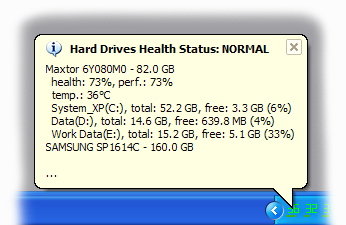
Information messagesIf you configure scheduled preventative checks on the state of your hard drives (at certain time intervals), you will see a message with the results after each check. A sample message when the health of all your disks is OK:
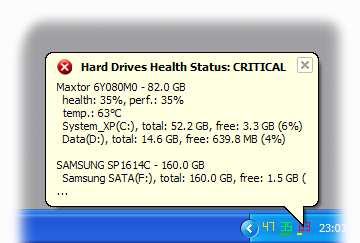
A sample message when one of your disks must be immediately replaced:
The parameters of regular checks (frequency) are set in the program settings. The professional version (HDDlife Pro) allows you to enable displaying such a message only if the health of your hard drives is not OK. Thus, HDDlife Pro will constantly monitor the safety of your data and disturb you only if it detects any problems. | ||
 | ||
| © 2004-2024 - BinarySense, Inc. | Find error? Write to us! | HDDlife.com |